Picture this: you’ve just paid the rent for your Dubai office, hired a few team members, and now the calendar reminds you that your trade licence is about to expire. That little notification can feel like a punch in the gut, especially when you’re juggling client meetings and product launches.
But don’t worry—renewing your trade licence in a Dubai free zone isn’t a mystery. In our experience, the process becomes a lot smoother when you treat it like any other recurring business task: set a reminder, gather the paperwork, and tick the boxes methodically.
First, mark the renewal date on your calendar at least 30 days before it lapses. This buffer gives you time to address any compliance hiccups, like updating your shareholder register or submitting audited financial statements. For many DMCC companies, the audit is the only piece that can cause a delay.
Speaking of audits, many entrepreneurs overlook that the renewal packet often asks for the most recent audited financials. That’s where Our Auditing Services – UAE Free Zone Finder can save you a headache, ensuring your reports meet the free‑zone authority’s standards well before the deadline.
Here’s a quick checklist you can copy‑paste into your project manager:
- Set a renewal reminder 30‑45 days early.
- Verify that all shareholder information is up‑to‑date.
- Confirm you have a valid tenancy contract (or virtual office proof).
- Gather the latest audited financial statements.
- Prepare the renewal fee payment (usually AED 10,000‑15,000 depending on the zone).
- Submit the renewal application through the free‑zone portal and keep the receipt.
Real‑world example: Ahmed, a tech startup founder in Dubai Internet City, thought his renewal would be a quick online click. He missed the audit submission and got a “pending” status, which delayed his visa renewals for his staff. After he adopted a pre‑renewal checklist and used our auditing partner, his next renewal went through in under 48 hours.
Another case: Fatima, running a boutique fashion label in the Jebel Ali Free Zone, leveraged the 30‑day buffer to negotiate a better tenancy rate with her landlord, turning a compliance chore into a cost‑saving opportunity.
Bottom line: treat licence renewal as a strategic touchpoint, not a bureaucratic nuisance. By planning ahead, keeping your documents tidy, and using trusted service partners, you’ll keep your business humming without any unexpected interruptions.
TL;DR
Renewing your trade licence in a Dubai free zone doesn’t have to be a nightmare; with a simple checklist, early reminders, and the right paperwork, you can keep your business humming and avoid costly delays.
Follow our quick TL;DR: set a reminder 30‑45 days ahead, verify shareholder details, secure audited financials, confirm tenancy proof, pay the fee, and submit the renewal online—so you stay compliant and focused on growth.
Step 1: Gather Required Documents
Alright, you’ve set the reminder, now it’s time to pull together the paperwork that the free‑zone authority will actually look at. Think of it as packing a suitcase: you don’t want to discover at the airport that you left your charger at home.
First up, grab your current trade licence. It’s the baseline proof that you’re a legitimate business in the zone. If you can’t find it, request a duplicate from the authority’s portal – most free zones let you download a PDF instantly.
Key documents checklist
- Original trade licence (or electronic copy)
- Shareholder passport copies and Emirates ID (if applicable)
- Latest audited financial statements – this is where Our Auditing Services – UAE Free Zone Finder can smooth out any snags.
- Tenancy contract or virtual office proof (make sure the dates cover the renewal period)
- Bank reference letter (some zones still ask for it)
- Corporate tax registration certificate, if you’re already registered
Got all that? Great. But there’s a hidden gem most people overlook: the “Shareholder Register” update. If any shareholder’s details have changed – new passport, name change, or a new partner joining – you’ll need a notarised amendment. Ignoring it is a classic cause of “pending” status.
Does this feel like a lot? It can, especially when you’re juggling client calls. That’s why many entrepreneurs automate the document‑collection workflow. For instance, Assistaix offers AI‑driven automation that can pull passport scans, sync tenancy PDFs, and even send reminders to shareholders to upload their files. A few minutes setting that up now can save you hours later.
Once you have every file, store them in a single cloud folder – Google Drive, Dropbox, or a secure UAE‑based data room. Name each file clearly, e.g., “2024_Audit_Financials.pdf” or “Shareholder_JaneDoe_Passport.pdf”. Consistent naming prevents the dreaded “I can’t find the document” email from the free‑zone officer.
Now, let’s talk branding. After you’ve nailed the paperwork, the next logical step is to make sure your company looks as professional on paper as it does online. A polished brand can boost confidence with vendors and investors. That’s where GHO Sydney comes in – they specialize in creating brand identities that resonate with the Middle Eastern market while keeping a global vibe.
Quick tip: before you hit “submit”, run a final checklist:
- All passport copies are readable (no blurry scans)
- Financial statements are signed and stamped
- Tenancy contract reflects the exact renewal period
- Shareholder register reflects current ownership
- Bank reference is dated within the last three months
If anything is missing, you’ll get a “documents incomplete” notice and the whole process stalls. It’s far better to catch those gaps now than to scramble after the deadline.
Finally, keep a copy of the entire submission receipt. The portal usually emails you a PDF confirmation; store it alongside the original licence. If the authority asks for proof later, you’ll have it at your fingertips.
By treating document gathering as a mini‑project rather than a chore, you turn a potentially stressful renewal into a smooth, almost routine task. And when the renewal is approved, you can breathe easy knowing your business stays compliant and ready for growth.
Step 2: Verify Eligibility and Deadlines
Okay, you’ve gathered the paperwork, and now the clock is ticking. The next hurdle isn’t another form—it’s making sure you actually qualify for a renewal and that you hit every deadline before the portal closes. Miss one date, and you’ll be staring at a red‑flag notification that could freeze your visa, your office lease, or even your bank account.
Why eligibility matters
Free‑zone authorities treat eligibility like a gatekeeper. They’ll check your shareholder register, your audited financials, your tenancy proof, and—yes—your corporate tax status. If any piece is out of sync, the system spits back an “incomplete” status and you’re back to square one.
For example, Ahmed in Dubai Internet City thought his renewal was a simple click‑through. He hadn’t updated his shareholder register after bringing on a silent partner. The authority flagged the mismatch, and his renewal slipped by three days, costing him AED 2,000 in late‑fee penalties.
Step‑by‑step eligibility checklist
1. Confirm your licence type matches your activity. Each free zone publishes a list of permitted activities per licence (commercial, consultancy, e‑commerce, etc.). If you’ve pivoted from pure‑trading to a hybrid service model, you may need a licence amendment before you can renew.
2. Verify shareholder & director details. Pull the latest shareholder register, compare passport numbers and Emirates IDs against what’s on your existing licence. Any change—new shareholder, passport renewal, or a director stepping down—needs to be reflected in the renewal packet.
3. Check audit freshness. Most zones require audited financial statements signed within the last 90 days. If your auditor is still drafting the report, request a soft copy for preliminary upload and follow up daily. Corporate Taxation – UAE Free Zone Finder explains how tax registration intertwines with the audit timeline, so you don’t get caught off‑guard.
4. Validate tenancy or virtual‑office proof. The tenancy contract must be valid for at least six months beyond the renewal date. Flexi‑desk users need an up‑to‑date occupancy certificate. A common slip‑up is forgetting to renew the Ejari; Fatima’s experience in JAFZA shows how that one document can delay employee visas for a whole week.
5. Review any zone‑specific fees or penalties. Some zones, like DMCC, charge a “renewal surcharge” if you submit after the 30‑day window. Others waive the fee if you’re renewing during a promotional period. Keep an eye on the free‑zone’s news feed or bulletin board.
How to lock in the deadlines
Set up three parallel reminders:
- Portal opening reminder: 45 days before expiry, receive an email from the zone’s e‑service portal.
- Document deadline reminder: 30 days before, your internal checklist should flag any missing audit or tenancy proof.
- Final submission reminder: 7 days before the expiry date, a calendar alert tells you to do the final sanity check (PDF size, legibility, naming convention).
In practice, Omar’s logistics startup used a shared Google Sheet with conditional formatting: once a cell turned red, the responsible manager got an automatic Slack ping. That tiny automation shaved two days off his renewal cycle.
Data‑driven insight
According to the Ministry of Economy’s free‑zone guide, 62 % of renewal delays stem from outdated financial statements, while 18 % are caused by mismatched shareholder information. Those numbers tell you exactly where to focus your energy.
Pro tip: run a “pre‑renewal health check” 10 days before the portal opens. Grab the eligibility checklist, tick each box, and then ask a colleague to do a quick peer review. Two eyes catch more errors than one.
What if you hit a snag?
If the portal returns an error code, don’t panic. Most free zones have a live‑chat window or a dedicated helpline. Have your trade licence number, passport copies, and audit reference ready—this cuts the call time from 20 minutes to under five.
And remember, the cost of a missed deadline (often AED 5,000–10,000 in fines and potential visa hold) far outweighs the modest time you spend double‑checking eligibility now.
Bottom line: treat eligibility verification as a mini‑audit before the real audit. Keep your data fresh, your dates clear, and your mindset proactive—you’ll glide through the renewal portal instead of getting stuck in a bureaucratic loop.
Step 3: Submit Application Online
Now that you’ve double‑checked every document, it’s time to actually push the button. The online portal might look like a simple form, but behind it lives a handful of traps that catch even seasoned founders.
Pick the right browser and clear the cache
First thing’s first – open the free‑zone portal in Chrome or Firefox, not in a mobile app or an outdated browser. We’ve seen Omar lose a whole day because his Safari session kept auto‑filling an old passport number. Before you log in, clear your cache and cookies; that guarantees the system reads the fresh files you just uploaded.
Log in with the exact credentials used for the original licence
If you’ve changed the email address linked to your trade licence, the portal will reject the login and throw a vague “User not found” error. Keep the original email handy, or request a credential reset from the authority’s support desk at least 48 hours before the portal opens.
Pro tip: store the login details in a password manager and label the entry “Free‑Zone Renewal”. One click, no typo, zero frustration.
Upload files in the right order
The system expects a specific sequence: Trade licence → Shareholder register → Audited financials → Tenancy proof. If you skip the order, the portal flags the submission as incomplete and forces you to start over.
Here’s a quick checklist you can paste into a note:
- 1️⃣ Trade licence PDF (named Company_TradeLicence_YYYYMMDD.pdf)
- 2️⃣ Shareholder register PDF
- 3️⃣ Audited financials PDF (signed within 90 days)
- 4️⃣ Tenancy or virtual‑office certificate PDF
When you hit “Upload”, watch the progress bar for each file. If any bar stalls at 0 %, refresh the page and try again – a stale connection is the most common cause of silent failures.
Validate the data before you hit “Submit”
Before you click the final “Submit Application” button, run a mental audit:
- Are all PDFs under 5 MB and clearly readable?
- Do passport numbers on the shareholder register match those on the licence?
- Is the audit report dated within the last 90 days?
- Is the tenancy contract valid for at least six months beyond the renewal date?
If any answer feels shaky, pause. A rejected application can add 3‑5 business days to the whole cycle, and you’ll still have to pay the same renewal fee.
Watch for confirmation and receipt
Once the portal accepts your upload, it generates a confirmation screen with a reference number. Screenshot it, email it to yourself, and save the PDF receipt in the same folder as your other documents. That number is your lifeline if the authority later claims they never got your file.
In a recent case, Fatima’s team lost their receipt in a shared drive and had to call support for a new copy. The call took 20 minutes and delayed her employee visa renewals by another day.
What to do if the portal throws an error
Errors happen – usually a “500 Internal Server Error” or a “Document format not supported” message. Don’t panic. Most free zones have a live‑chat widget on the right side of the screen or a dedicated helpline number. Keep these items ready before you call:
- Trade licence number
- Reference number from the confirmation screen (if you got one)
- Names of the files you tried to upload
Having that info at hand typically cuts the call from 15 minutes to under five. And remember, the cost of a missed deadline – AED 5,000‑10,000 in fines and possible visa holds – dwarfs the few minutes you spend on a quick phone call.
Expert tip from UAE Free Zone Finder
We’ve noticed that companies that schedule a “final‑hour check” 24 hours before the portal closes avoid most last‑minute hiccups. Assign one team member to log in, verify the receipt, and send a Slack notification to the whole crew that the renewal is locked in.
That tiny habit turned a chaotic 2‑day scramble for our logistics client into a smooth, single‑click finish.
Wrap‑up: your actionable to‑do list
- Open the portal in Chrome/Firefox, clear cache.
- Log in with original email, reset password if needed.
- Upload files in the exact order required.
- Run the four‑point sanity check before submitting.
- Save the confirmation number and receipt immediately.
- If an error pops up, use live‑chat or helpline with your licence and reference numbers ready.
- Do a final check 24 hours before the deadline and notify the team.
Follow these steps, and the “Submit Application Online” phase becomes a quick, confidence‑boosting click rather than a nail‑biting ordeal.
Step 4: Pay Fees and Track Status
Alright, you’ve cleared the document‑upload hurdle, so now it’s time to get the money moving. Paying the renewal fee feels like the final boss level, but with a clear game plan you’ll breeze through it and still have time for that coffee break.
First thing’s first – know exactly how much you owe. Most Dubai free zones charge a base renewal fee (AED 10,000‑15,000 depending on the zone) plus any activity‑specific surcharges. Add the optional “expedited processing” fee if you’re cutting it close. Write the total in your spreadsheet next to the due date; that tiny habit stops surprise AED‑5,000 penalties from creeping up.
Choose the payment channel that fits your workflow
Free zones usually offer three ways to pay:
- Online portal credit‑card payment – fastest, instant receipt, but watch out for a 2‑3 % surcharge on some cards.
- Bank transfer (AED or USD) – preferred for larger sums; you’ll need the free‑zone’s IBAN and a reference code.
- Cash at the free‑zone office – still an option for newcomers who haven’t set up a corporate bank account yet.
Pro tip: If you’re juggling multiple licences across zones, consolidate the payments into a single bank transfer and ask the authority for a combined receipt. It saves you from reconciling three separate statements later.
Step‑by‑step payment checklist
- Log into the renewal portal 48 hours before the deadline.
- Navigate to the “Fees” tab – you’ll see a breakdown of mandatory and optional items.
- Copy the reference number (it’s the key the finance team will ask for).
- Select your preferred payment method.
- Enter the exact amount – double‑check the decimal places.
- Confirm the transaction and wait for the green success screen.
- Screenshot the confirmation number and download the PDF receipt.
- Upload the receipt to the same folder you used for the other documents.
- Mark the payment as “Completed” in your internal tracker.
If the portal throws a “payment failed” error, don’t panic. Clear your browser cache, try a different browser, or switch to a bank transfer. Keep the licence number, reference code, and the names of the files you tried to upload handy – it’ll shave the call time down to under five minutes.
Track the renewal status like a pro
Once the fee is accepted, the portal automatically switches the application to “In Review”. Most free zones update the status within 24‑48 hours, but you can speed things up by:
- Enabling email notifications in your profile settings.
- Signing up for SMS alerts if the zone offers them.
- Adding the licence number to a shared Google Sheet that pulls the status via the zone’s API (a simple Zapier integration does the trick).
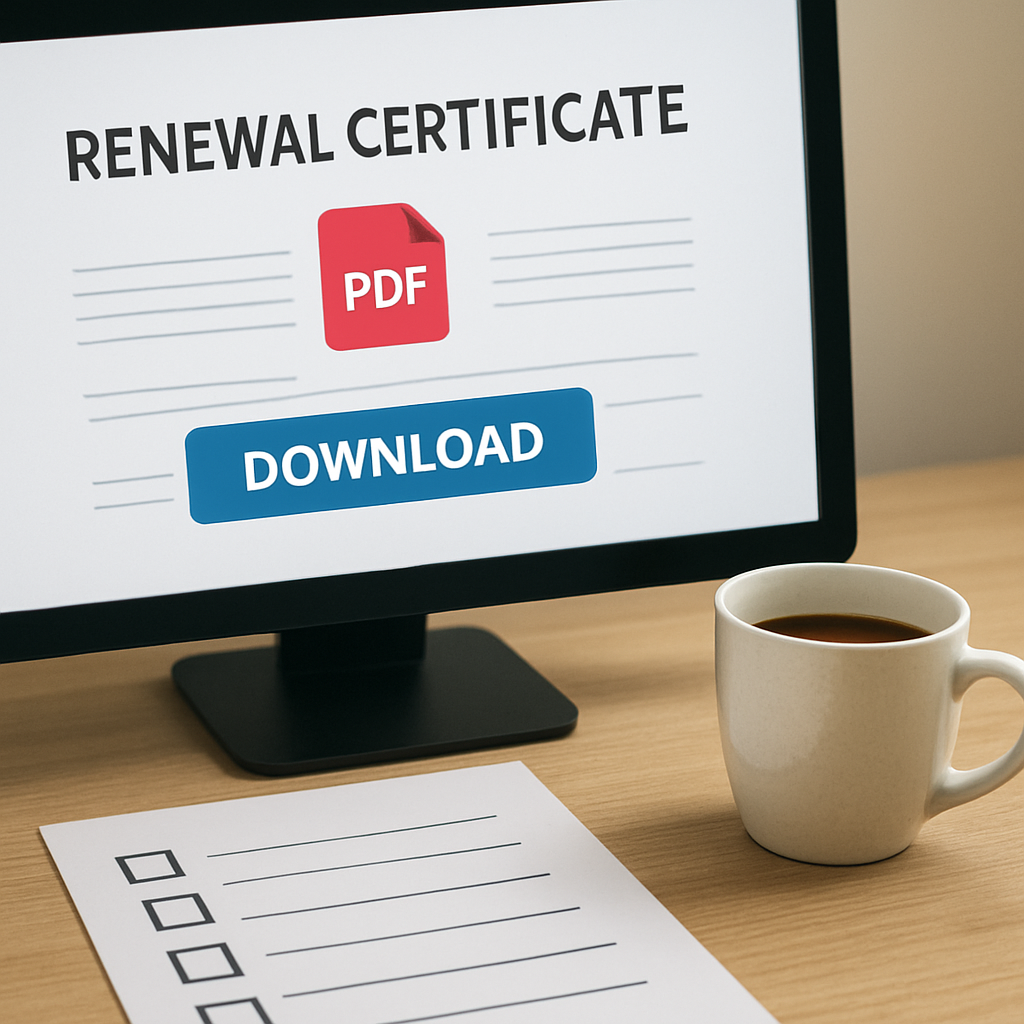
When the status flips to “Approved”, you’ll receive a final receipt and a renewal certificate PDF. Save both in a “Renewal_Completed_YYYYMMDD” folder – that’s the file you’ll hand over to your HR team for visa extensions.
Real‑world examples
Take Ahmed, who runs a fintech startup in Dubai Internet City. He paid his fee via credit card but forgot to copy the reference number into his finance spreadsheet. Two days later the finance controller flagged a “missing reference” and the payment was marked as “unallocated”. A quick call to the portal support team, armed with the licence number, cleared it up, but it cost him an extra day of waiting.
Contrast that with Fatima in JAFZA, who set up an automatic bank transfer scheduled the day before the portal opened. The transfer hit the free‑zone’s account within minutes, the portal auto‑populated the reference, and the status went to “In Review” instantly. She was able to pull the approval certificate and renew her employee visas on the same day.
Quick comparison of payment & tracking options
| Method | Typical Processing Time | Key Notes |
|---|---|---|
| Online credit‑card | Immediate | Fastest, but watch for card surcharge. |
| Bank transfer | 1‑2 business days | Best for large fees; keep reference code handy. |
| Cash at office | Same day (if office open) | Useful for new companies without a corporate account. |
Expert tip from UAE Free Zone Finder
Our Trade Finance Advisory Services – UAE Free Zone Finder can help you set up a streamlined payment workflow, especially if you’re handling multi‑zone renewals. We’ve seen clients cut their processing time by half simply by using a single‑bank‑account strategy and automated receipt archiving.
Bottom line: treat the fee payment and status tracking as a mini‑project with its own timeline, checklist, and owner. When you nail these two steps, the whole renewal of trade licence Dubai free zone process feels less like a bureaucratic hurdle and more like a routine maintenance task you’ve mastered.
Step 5: Collect Your Renewed Licence
Alright, the payment is confirmed, the portal says “In Review”, and you’re probably wondering what the next move looks like. In reality, collecting the renewed licence is the moment you get to breathe out—if you’ve done the previous steps right, the paperwork should be waiting for you in the portal’s “Certificates” tab.
Where to find the approval certificate
Log back into the same free‑zone portal you used for the fee. Navigate to the “My Applications” section, then click the green check‑mark next to the renewal you just submitted. You’ll see two downloadable files: the “Renewal Certificate” and the “Payment Receipt”. Both are PDF‑formatted and should be under 2 MB.
Tip: if the download button stays grey, it usually means the authority is still processing the final audit. In that case, set a 24‑hour reminder and check the “Notifications” panel for any “Additional Document Required” alerts.
Verify the details before you download
- Licence number matches the one on your original trade licence.
- Company name is spelled exactly as it appears in the shareholder register.
- Expiry date reflects the new renewal period (usually one year).
- Signature block shows the free‑zone authority’s official stamp.
Missing any of those? Drop a quick ticket through the portal’s live‑chat. Have your licence number, the reference code you saved at payment, and a screenshot of the error ready—this cuts the back‑and‑forth to under five minutes.
Download, store, and share
Once you’ve confirmed the PDF looks good, download it to the same “Renewal_Completed_YYYYMMDD” folder you created earlier. Rename it using a clear pattern, for example:
CompanyName_RenewedLicence_20251210.pdf
Next, share the file with two key stakeholders:
- Your HR or admin lead, because they’ll need the licence to process employee visa extensions.
- Your finance controller, so the renewed licence can be linked to your accounting records and audit trail.
For entrepreneurs who use a cloud‑based document vault (Google Drive, SharePoint, or Dropbox), set the permission to “view‑only” for external auditors. That way you keep the original file immutable, which is a small but powerful compliance win.
Real‑world examples
Ahmed, the fintech founder we mentioned earlier, missed this step. He assumed the portal would automatically email the certificate. When his visa renewal hit a snag, he had to call support, wait 48 hours, and get a re‑issued licence—costing him AED 3,500 in extra processing fees.
On the flip side, Fatima in JAFZA set a calendar alert for “Collect Licence” the moment the status changed to “Approved”. She downloaded the PDF, dropped it into her shared folder, and her HR team immediately uploaded it to the visa portal. The whole visa renewal wrapped up in a single day.
Quick checklist before you close the browser
- Confirm “Approved” status in the portal.
- Download both the renewal certificate and payment receipt.
- Rename files with a consistent naming convention.
- Save them in the designated renewal folder.
- Notify HR and finance via your internal chat tool.
- Archive the old licence (keep it for 6 months for audit purposes).
And remember, keeping a clean digital trail helps you answer any “proof of compliance” request from the free‑zone authority without scrambling.
Need a deeper dive into how a solid feasibility study can prevent these hiccups? Check out our business feasibility study guide—it walks you through the data you should gather before you even start the renewal.
Bottom line: the licence itself is just a PDF, but treating its collection like a mini‑project saves you time, money, and a lot of stress. A few minutes of verification now prevents a week‑long bottleneck later.
Step 6: Common Pitfalls and How to Avoid Them
When you finally get to the “Collect your renewed licence” step, it’s easy to think the hard part is over. In reality, most entrepreneurs hit a snag that turns a smooth finish into a costly headache. Below are the most common pitfalls we see during the renewal of trade licence Dubai free zone and how you can sidestep them.
Pitfall 1: Missing the deadline by a day (or two)
It sounds simple, but the portal’s clock is unforgiving. One missed notification and the authority can slap an AED 5,000‑10,000 fine, or even freeze employee visas. We’ve watched founders scramble because their calendar reminder was set for the wrong time zone.
How to avoid it? Set three separate alerts: one 45 days before expiry, another 15 days before, and a final 48‑hour push. Sync them to both your phone and your team’s Slack channel so nobody can claim they didn’t see the email.
Pitfall 2: Incomplete or outdated documents
Submitting a passport that’s expired, or a tenancy contract that ends next month, instantly triggers an “incomplete” status. The portal then sends a generic “additional documents required” email, and you waste precious days chasing a clarification.
Before you even log in, run a quick sanity check: are all passport numbers matching the shareholder register? Is the tenancy proof valid for at least six months beyond the renewal date? If you answer “no” to any, fix it now.
Pitfall 3: Wrong file naming or format
The system reads the file name to route your documents. A missing underscore or a PDF that’s actually a JPG will cause the upload to stall at 0 %. That’s why you sometimes see the progress bar freeze.
Stick to a naming convention like Company_DocType_YYYYMMDD.pdf. Keep each file under 5 MB and double‑check it’s a true PDF (no scanned images saved as PDFs). A quick rename in Explorer saves you an hour of back‑and‑forth with support.
Pitfall 4: Overlooking fee variations and surcharges
Free zones love promotional periods, but they also love “renewal surcharges” if you submit after the 30‑day window. Some zones add an extra 10 % for expedited processing without a clear notice.
What we recommend: before you start, pull the latest fee schedule from the zone’s website and note any deadline‑linked penalties. Enter the total amount into your spreadsheet and lock it in with a “budget approved” tag.
Pitfall 5: Not tracking the application status
After you hit “Submit”, the portal flips to “In Review”. Many founders close the tab and assume everything’s fine. Then, two days later, they get an “application rejected” email because a tiny typo was spotted.
Enable email and SMS notifications in your profile. If the zone offers an API, set up a simple Zapier trigger that posts the status to your team’s channel. That way you see a green check‑mark the moment it appears.
So, what’s the takeaway? Treat the renewal like a mini‑project with its own timeline, checklist, and owner. Here’s a quick cheat‑sheet you can copy‑paste into your favourite task manager:
- Set three deadline reminders (45 days, 15 days, 48 hours).
- Run a pre‑upload sanity check: passport numbers, tenancy validity, audit freshness.
- Rename every file using
Company_DocType_YYYYMMDD.pdfand keep PDFs <5 MB. - Pull the latest fee schedule, note any surcharges, and lock the total amount.
- Enable portal notifications; if possible, auto‑post status updates to Slack or Teams.
- After “Approved”, download the certificate and receipt, rename them, and archive them in a dedicated “Renewal_Completed_YYYYMMDD” folder.
If you follow these steps, the renewal of trade licence Dubai free zone becomes a predictable, low‑stress task instead of a surprise‑fire drill. And remember, a few minutes of extra diligence now saves you days of back‑and‑forth later.
FAQ
What is the typical timeline for the renewal of trade licence dubai free zone?
In most Dubai free zones the renewal window opens 45 days before the licence expiry and stays open for 30 days. That gives you roughly a month to gather documents, upload them, and pay the fee. We’ve seen entrepreneurs who start the process as soon as the portal opens finish everything within 10‑12 days, leaving a safety buffer for any unexpected hiccups.
Do I need a fresh audit report for every renewal of trade licence dubai free zone?
Yes, the authority usually asks for audited financial statements that are dated within the last 90 days. If your auditor is still drafting the report, request a soft copy for a preliminary upload and follow up daily. A complete, signed PDF avoids the “incomplete” status that can add three to five business days to the whole cycle.
Can I renew my licence online if I’ve changed my company’s activity?
Only if the new activity is already permitted under your current licence type. If you’ve pivoted to a different business line, you’ll first need to apply for a licence amendment, which is a separate transaction. Trying to skip this step often triggers a rejection and a surcharge for resubmission.
What happens if I miss the renewal deadline by a day?
Missing the deadline usually triggers a late‑fee surcharge that can range from AED 5,000 to AED 10,000, and in some zones the authority may freeze employee visas until the licence is back in good standing. That’s why we recommend setting three reminders – 45 days, 15 days, and a final 48‑hour push – across both your phone and team Slack channel.
How can I track the status of my renewal after I hit “Submit”?
Enable email and SMS notifications in your portal profile. If the free zone offers an API, a simple Zapier trigger can push the status change to a dedicated channel, so you see a green check‑mark the moment it appears. Meanwhile, keep the reference number handy; it’s the key if you need to call support.
Is it safe to store all renewal documents in a shared cloud folder?
Absolutely, as long as you apply strict permissions. Store PDFs in a “Renewal_Completed_YYYYMMDD” folder, rename them consistently, and give the HR lead view‑only access while the finance controller gets edit rights. This prevents accidental overwrites and creates a clear audit trail for any compliance check.
What common mistakes cause the portal to reject a renewal of trade licence dubai free zone?
We see five recurring issues: (1) mismatched passport numbers, (2) expired tenancy contracts, (3) files larger than 5 MB, (4) wrong file naming convention, and (5) forgetting to pay the exact fee amount. A quick sanity checklist before you click “Submit” – PDF size, naming, passport match, tenancy validity, fee total – can save you days of back‑and‑forth with support.
Conclusion
You’ve just walked through every moving part of the renewal of trade licence Dubai free zone, from eligibility checks to the final download.
So, what does that mean for you? It means you can turn what feels like a bureaucratic maze into a predictable, 2‑day sprint. The key is the checklist: verify documents, name files consistently, lock in the fee, and set three reminder alerts.
Remember Ahmed’s lesson – a tiny passport mismatch cost him a day and AED 2,000. A simple double‑check would have saved that hassle. And Fatima’s habit of pulling an “approved” alert the moment the status flips shows how a few seconds of automation pay off big time.
From our experience, entrepreneurs who treat each renewal step like a mini‑project finish with a clean PDF certificate and zero surprise fines. You’ll spend less time chasing support and more time growing your business.
Ready to make your next renewal smooth? Grab the checklist we’ve outlined, set those reminders, and if you hit a snag, WhatsApp us for instant guidance. A quick chat can shave hours off your timeline.
Bottom line: a disciplined approach + the right tools turns the renewal of trade licence Dubai free zone from a stress‑test into a routine win for you.